Update with MuraLink
JP150PCB 1.3PCB 1.4since 26.10.1Jan PřibyslavskýThis page does not apply to the product or PCB revision chosen in the header.
PCB 1.3 on firmware 26.8.0
A PCB 1.3 module that still runs 26.8.0 cannot take an update bundle by itself. Contact support with the module's serial number; the first update of such a module is arranged individually. Never use the old FirmwareUpdater or DIP switch 3 on a module that runs 26.10.1 or later.
What you need
- A Windows 10 or 11 PC with MuraLink 26.10.1 or newer (Install).
- The update bundle of the release, for example
JPx_Update_26.10.1.zipfrom Downloads. - A USB-C data cable to the module's USB DATA connector. Charge-only cables do not work.
Steps
- Connect the module in MuraLink and open Device > Firmware update.
- Click Open bundle and choose the
.zip. MuraLink checks the file and shows the release it contains, with its variant (release, special build or development). - Read the checks against the connected module: board supported, installed version and variant, key type, rollback floor. A blocking check names what is wrong and disables the update; a warning asks for your confirmation.
- On PCB 1.4, MuraLink asks whether to write the default DSP program as well. It replaces the DSP program that runs now, your own design included; decline to keep yours. See Boot memory with MuraLink.
- Confirm. The audio stops, the module restarts into update mode, and MuraLink finds it again by itself.
- Watch the phases: Waiting for the unit, Checking, Installing, Verifying, Restarting, Reconnecting, and Writing the DSP program if you chose it. Do not unplug the cable or switch the module off.
- MuraLink reconnects and shows the new version. The settings are kept; the first start after an update from 26.8.0 rebuilds the stored settings once, see Release notes 26.10.1.
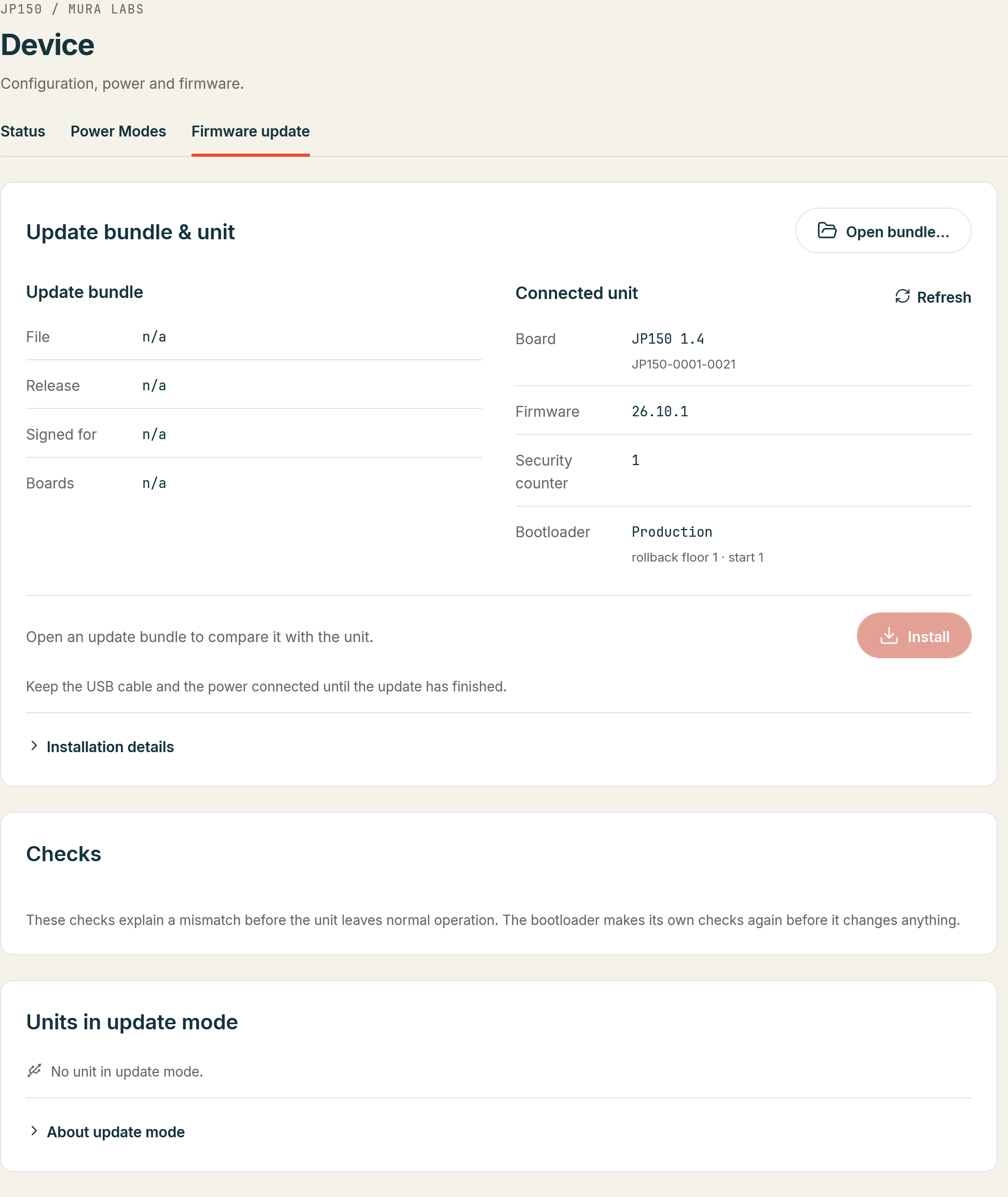
The whole update takes about a minute, longer with the DSP program.
If something is refused
MuraLink names the cause in plain terms. The usual ones:
| Message | Meaning | What to do |
|---|---|---|
| Board not supported by this release | The bundle's manifest does not list your board | Use the bundle of a release that lists it |
| Package needs a development bootloader | A development package on a production module | Use the release bundle |
| Older than the module's security floor | The package's security counter is below the floor | Use a newer release |
| Secure bootloader missing | The module runs 26.8.0 or older | Contact support |
If the update is interrupted
Nothing is damaged. The module waits in update mode; MuraLink lists it under Units in update mode. Open the bundle again and repeat the update. See Recovery.