Install MuraLink
JP150PCB 1.3PCB 1.4Jan PřibyslavskýThis page does not apply to the product or PCB revision chosen in the header.
Requirements
- Windows 10 or 11, 64-bit.
- A free USB port and a USB-C data cable for the module's USB DATA connector, or a serial adapter on its UART1 connector (115200 baud, 8 data bits, no parity, 1 stop bit).
Nothing has to be installed first. Everything MuraLink needs, the .NET runtime included, is inside its executable.
Download and first start
- Download
MuraLink_26.10.1.zipfrom Downloads. It is a zip of about 67 MB with no installer and no registry entries. It holds the executableMuraLink_26.10.1.exe(about 165 MB), aREADME.txtand the licence files of the embedded fonts and icons. - Unzip it into a folder you can write to, for example under Documents. MuraLink writes its log
files into a
Logsfolder next to the executable (dsp-amp-YYYYMMDD.log); a copy of the current log is the first thing support asks for. - Start
MuraLink_26.10.1.exe. Windows SmartScreen may warn about a program downloaded for the first time; choose More info and Run anyway. The first start unpacks the application's native libraries into%TEMP%\.net\MuraLink_26.10.1. The application version is shown in the footer of the window.
To update MuraLink, unzip the new package into a folder of its own, or replace the executable with
the new one; nothing else is stored on the PC apart from the logs and the unpacked libraries under
%TEMP%.
Connecting a module
- Connect the module to the PC with a USB-C data cable on USB DATA (the USB-C connector or the 3-pin header). Windows needs no
driver: the module enumerates as a USB audio device and a COM port (USB
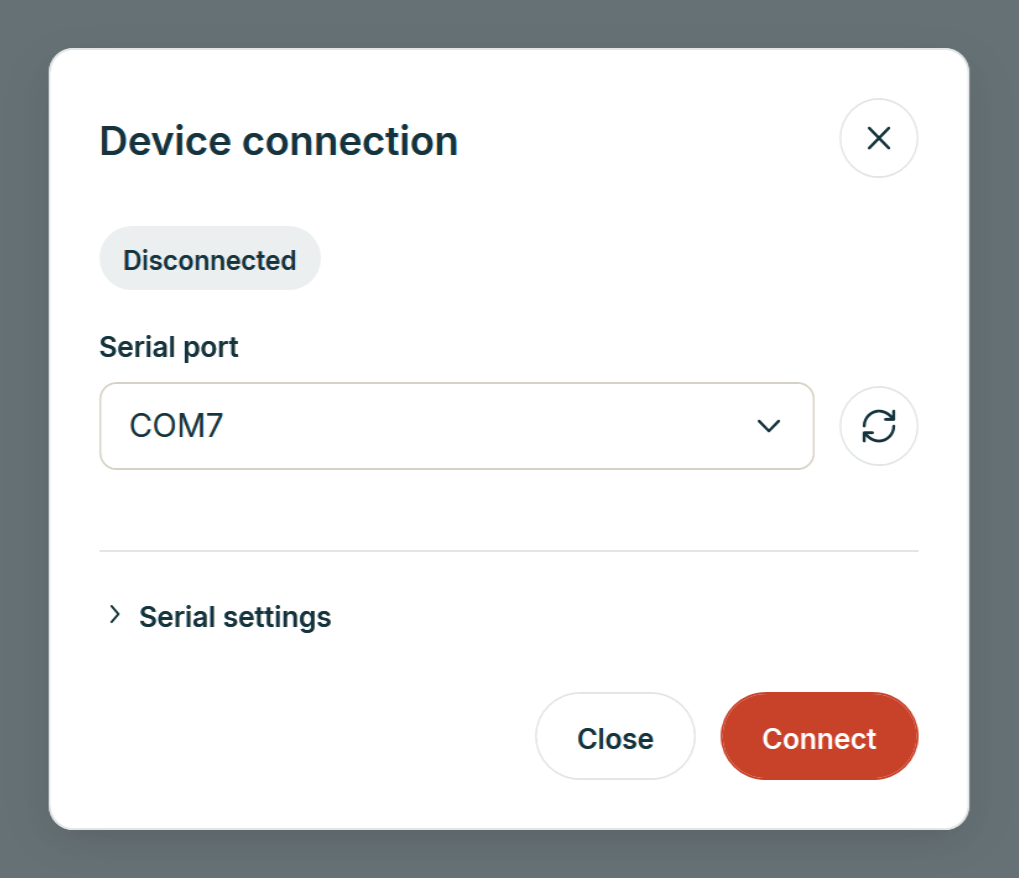
16D0:15B8from firmware 26.10.1,0483:5741before). Charge-only cables carry no data. - In MuraLink open the connection dialog (the connection pill at the top right), choose the COM port of the module and click Connect. The serial settings matter only for a UART connection; over USB any baud rate works.
- MuraLink reads the module's identity and its state and shows the Overview. The connection pill
reads
JP150 connected.
What MuraLink shows when the firmware is older than itself, and what it cannot do on an unsupported board, is on Firmware compatibility. The Pages reference walks through the window.