Volume and encoder
JP150PCB 1.3PCB 1.4Jan PřibyslavskýThis page does not apply to the product or PCB revision chosen in the header.
The encoder
The optional rotary encoder on the ENCODER connector controls the module without a PC: rotate to change the master volume, press to cycle the active input. Disabled inputs are skipped. In any power-down level, a turn or a press wakes the module; that first action only wakes it and does not also change the volume or the input, which you cannot see while powered down. Holding the button while switching the module on enters the bootloader's update mode (Recovery).
Volume
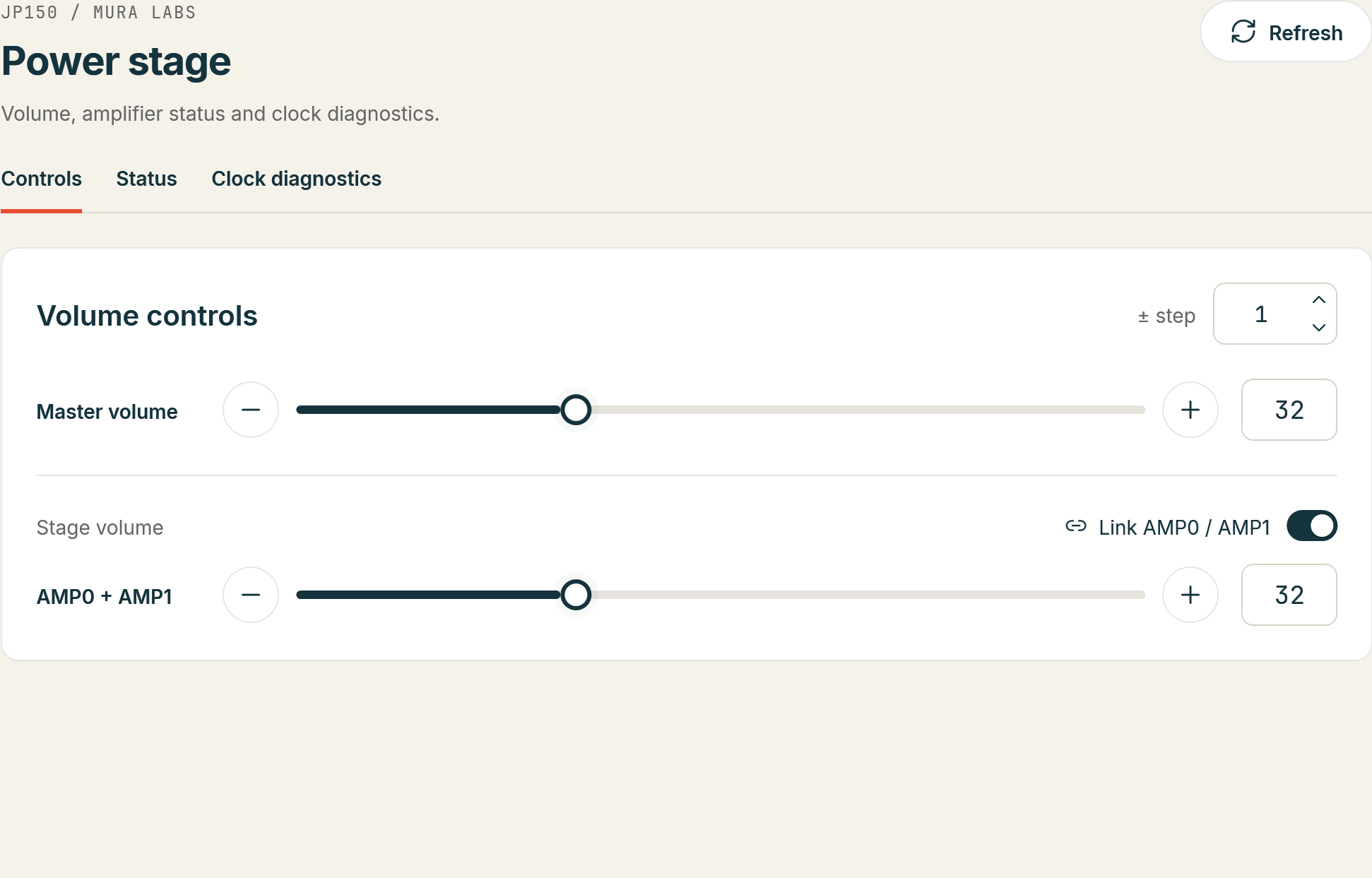
The master volume (0 to 99) applies to both power stages; each stage also has its own volume. Volume changes are saved automatically a few seconds after the last change and restored at the next power-up. With the Wi-Fi input, the module's volume and the Wi-Fi module's volume are synchronised only during active playback, and the module's volume wins when a source connects.
Mute, clip and faults
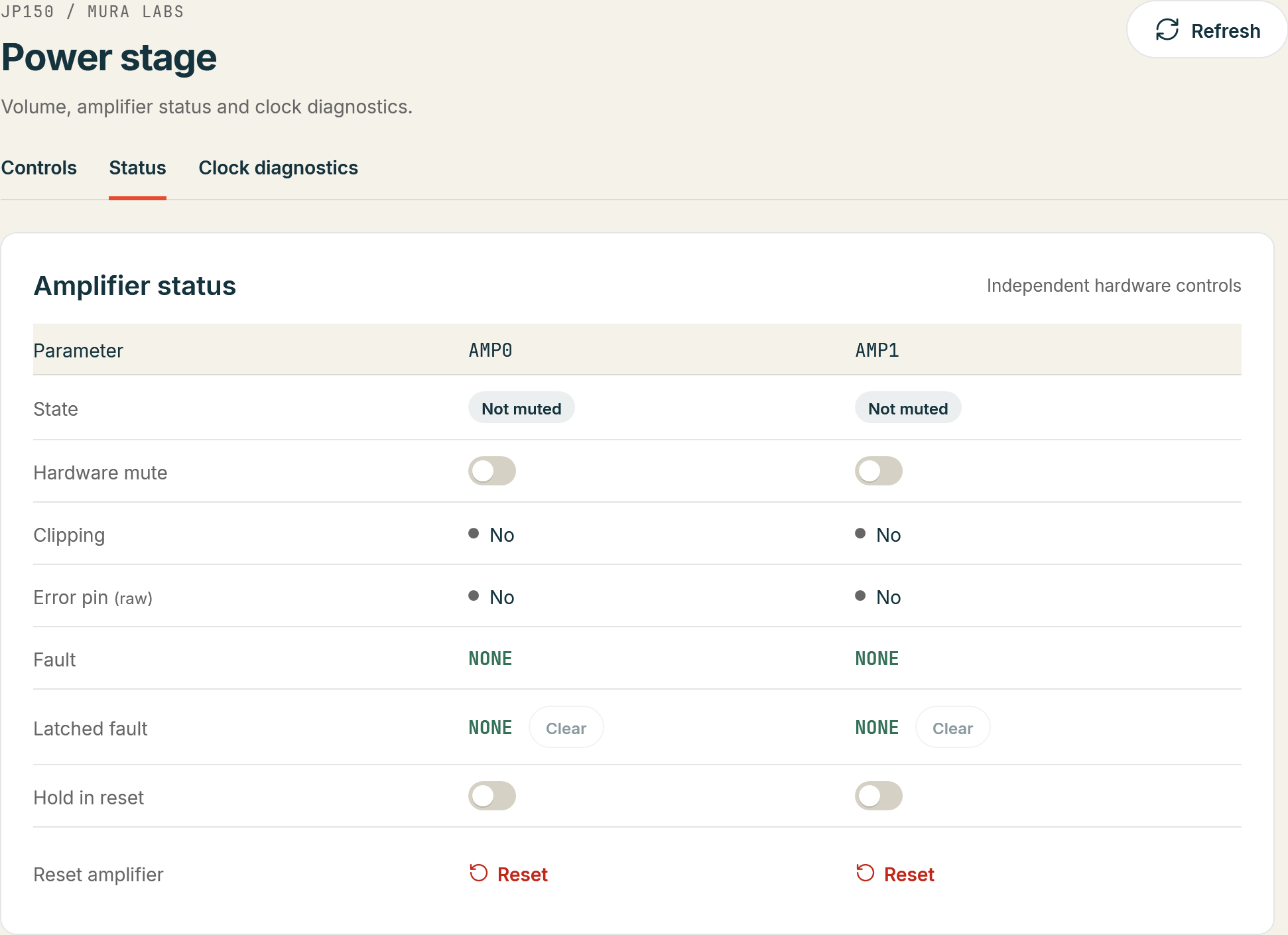
Each power stage can be muted by hardware and reports clipping and faults; the worst fault since the last clear is kept as the latched fault until it is cleared. On PCB 1.4 clipping and faults are also shown by the yellow and red LEDs next to the power stages (Indicators and LEDs).
In MuraLink
- Everyday use: the Volume slider and Mute on the Overview; Mute silences the output.
- Per stage: Power stage > Controls has the Master volume, the Stage volume of AMP0 and AMP1 (together with Link AMP0 / AMP1, or one at a time) and the step of the ± buttons.
- Status and faults: Power stage > Status shows, per stage, Hardware mute (applies at once), Clipping, the Error pin, the decoded Fault and the Latched fault with its Clear button, and offers Hold in reset and Reset amplifier for a stage that needs a reset to recover.
Over the control interface
| Task | Commands |
|---|---|
| Master volume | AMP:VOL?, AMP:VOL with 0 to 99 |
| Volume of one stage | AMP0:VOL?, AMP0:VOL; AMP1:VOL?, AMP1:VOL |
| Hardware mute of a stage | AMP0:HWMUTE?, AMP0:HWMUTE with 0 or 1; the same for AMP1 |
| Clipping within the last 500 ms | AMP0:CLIP?, AMP1:CLIP? |
| Fault state | AMP0:FAULT? (live), AMP0:FAULT:LATCHED? (the worst since the last clear), AMP0:ERROR? (the FAULT pin); the same for AMP1 |
| Clear or recover | AMP0:FAULT:CLEAR, AMP0:FAULT:RECOVER (a reset pulse); AMP0:RESET holds the stage in reset; the same for AMP1 |
The answers and the fault names are in the AMP reference.