Inputs and the enable mask
JP150PCB 1.3PCB 1.4Jan PřibyslavskýThis page does not apply to the product or PCB revision chosen in the header.
The module has six audio sources: USB, Bluetooth, S/PDIF, I2S, Wi-Fi and an internal 1 kHz sine generator for tests. One source is active at a time, selected with the encoder button, in MuraLink or over the control interface. The status LED shows the selected source by colour (Indicators).
Enabling and disabling sources
Each source can be enabled or disabled individually. A disabled source is skipped when cycling with the encoder and refused when it is selected from MuraLink or over the control interface. Two rules apply:
- At least one source always stays enabled; disabling the last one is refused.
- Disabling the active source moves the module to the next enabled one.
The enable mask is stored and survives a power cycle; all six sources are enabled by default and after a settings reset.
Selection and the DSP
The selected input is routed inside the DSP program. The firmware sends the selection to the DSP
once the program runs, at power-up and after every wake from SLEEP or STANDBY, so the selection
is kept across power levels. since 26.10.1
The selected input is one of the settings that a settings reset keeps (Settings and memory).
In MuraLink
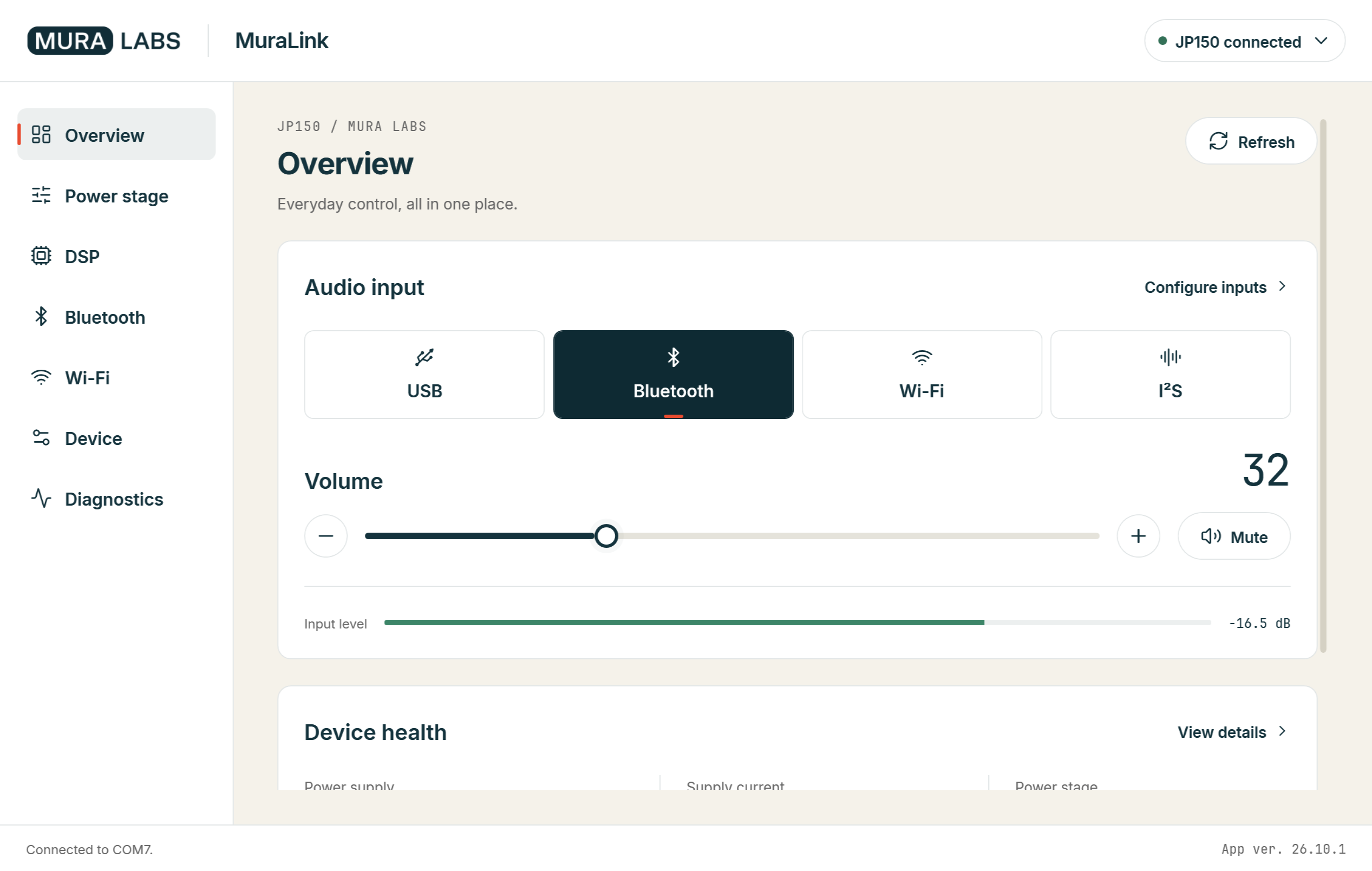
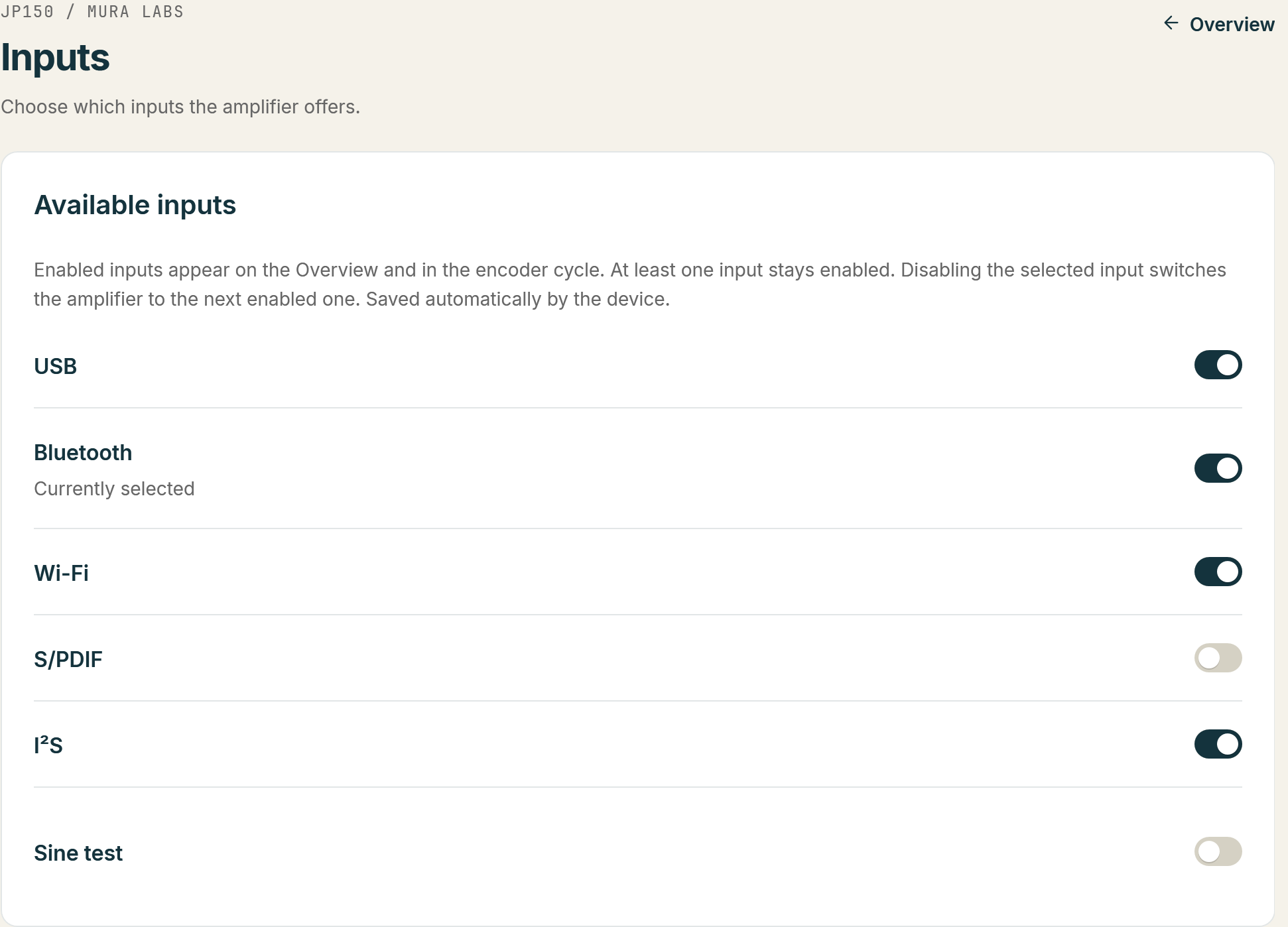
The Overview shows the six sources as tiles under Audio input, the active one highlighted; click a tile to select that source. Configure inputs opens the Inputs page with a check box per source under Available inputs: clear a box to disable the source, tick it to enable it again. The two rules above apply, and the footer shows the result of a change. The Overview also shows the level of the selected input.
Over the control interface
| Task | Command | Answer |
|---|---|---|
| Read the selected source | SYS:INPUT? |
SYS:INPUT:<source> |
| Select a source | SYS:INPUT with the source |
SYS:INPUT:OK, or ERR:DISABLED for a disabled source |
| Read whether a source is enabled | SYS:INPUT:ENABLE? with the source |
SYS:INPUT:ENABLE:<source>:<0|1> |
| Enable or disable a source | SYS:INPUT:ENABLE with the source and 0 or 1 |
SYS:INPUT:ENABLE:OK, or ERR:LAST when it would disable the last enabled source |
| List the enabled sources | SYS:INPUT:ENABLE:LIST? |
SYS:INPUT:ENABLE:LIST:<source>[,<source>...] |
The source names, the exact syntax and the answers are in the SYS:INPUT reference; what a host must handle is on Integration notes.