Power levels and consumption
JP150PCB 1.3PCB 1.4Jan PřibyslavskýThis page does not apply to the product or PCB revision chosen in the header.
The module operates in one of five power levels. Each switches off progressively more; the control interface (UART and USB) answers at every level, including standby.
| Level | Power stage | DSP | Wi-Fi module | Idle current at 36 V (PCB 1.3) |
|---|---|---|---|---|
NORMAL |
Playing | Running | Powered | 250 mA |
PWRSTAGE_IDLE |
Muted | Running | Powered | 120 mA |
PWRSTAGE_OFF |
Muted, unpowered | Running | Powered | 75 mA |
SLEEP |
Muted, unpowered | Stopped | Powered | 55 mA |
STANDBY |
Muted, unpowered | Stopped | Unpowered | 30 mA |
The currents are typical measured values on PCB 1.3 with no audio playing. They depend on the DSP program, the Wi-Fi module's network activity and the Bluetooth connection state.
To be added
The idle currents of PCB 1.4 at 36 V, as a second column of the table.
Entering and leaving a level
Levels are entered from MuraLink or by command, by automatic power-down,
or on PCB 1.4 by the 12 V trigger. SLEEP keeps the Wi-Fi module
powered, so the module stays reachable on the network and wakes when you play to it; STANDBY is
the only level that removes Wi-Fi power.
Returning from a level that removed power from the power stages takes several hundred
milliseconds, because the power stages are re-initialised. Waking from SLEEP or STANDBY also
restarts the DSP, which reloads its program from the boot memory: about 50 ms on PCB 1.4, 200 to
250 ms on PCB 1.3. Audio is back within about a second.
In STANDBY the host MCU keeps running and answering commands, which accounts for most of the
remaining current.
In MuraLink
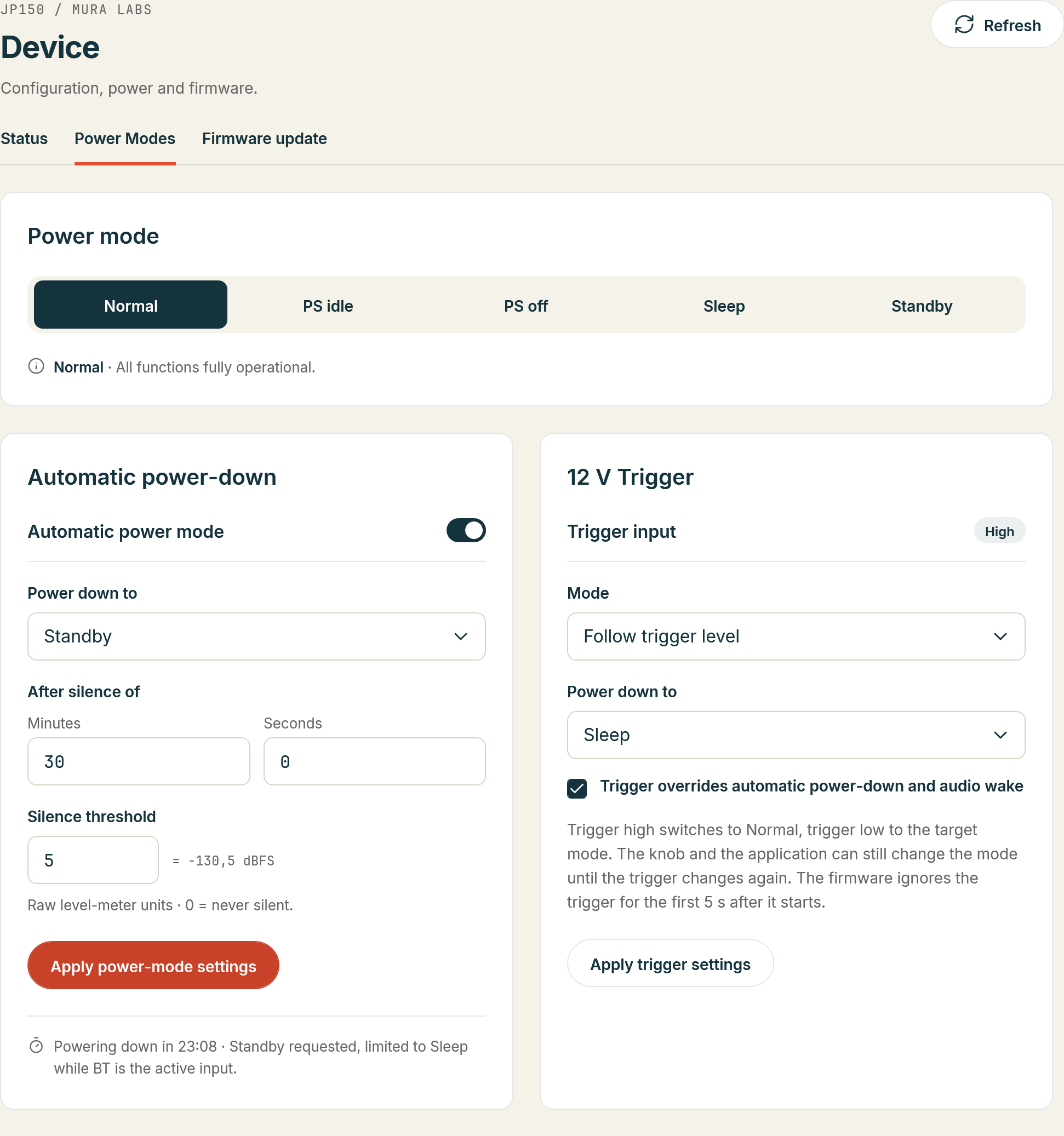
Device > Power Modes: the Power mode row has a button per level (Normal, PS idle, PS off, Sleep, Standby); the current level is highlighted and a click switches at once. The automatic power-down and, on PCB 1.4, the 12 V trigger are set on the same page.
Over the control interface
SYS:POWER:MODE? answers the level and SYS:POWER:MODE with a level name of the table above sets
it; the control interface answers at every level (SYS:POWER reference).