Bluetooth and TWS LED reference
JP150PCB 1.3PCB 1.4Jan PřibyslavskýThis page does not apply to the product or PCB revision chosen in the header.
When the Bluetooth input is selected, the status LED shows the Bluetooth and TWS state. Blue is always present: it identifies the Bluetooth input. Pulse speed and the second colour tell what the unit is doing:
- Fast pulse (about 500 ms): in progress (pairing, connecting, searching).
- Slow pulse (about 2.5 s): settled or linked.
- Steady: connected and idle.
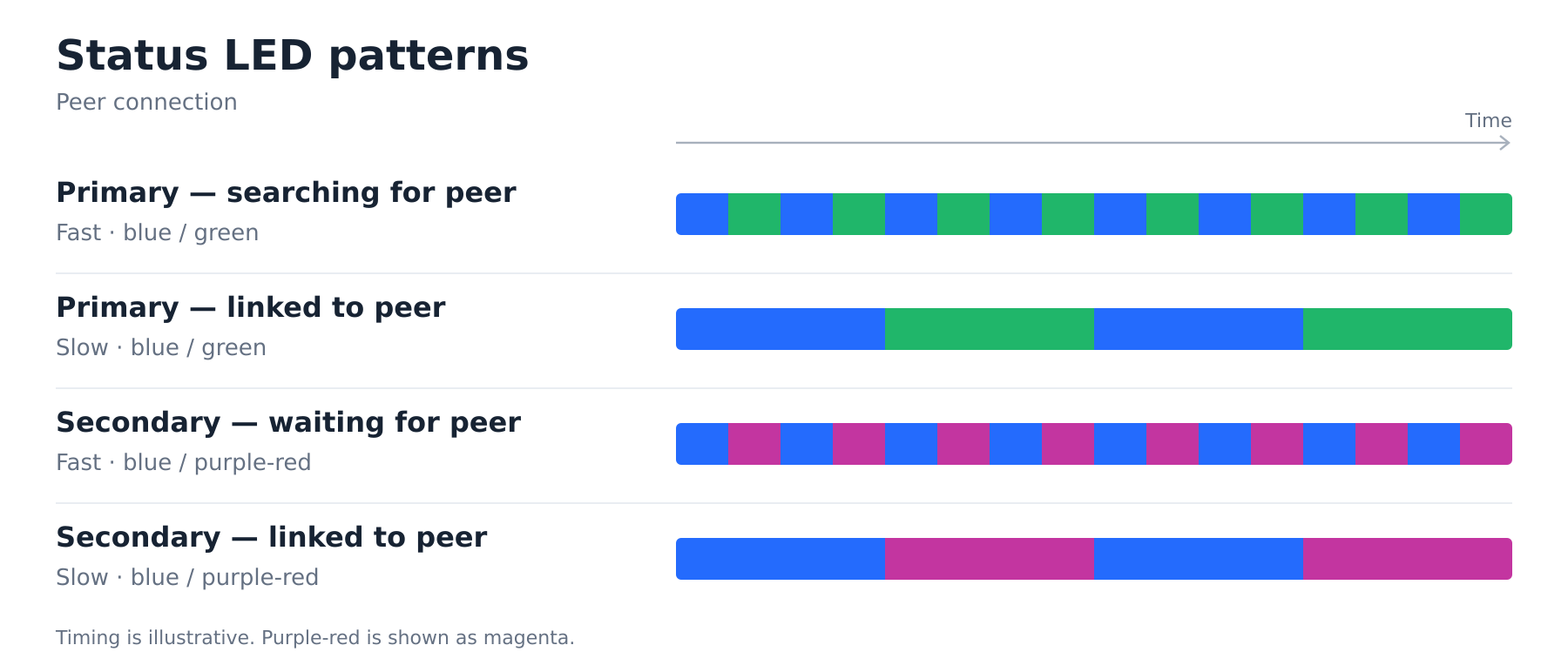
- Two-colour alternation: TWS is engaged; the accent colour encodes the role (green = Primary, purple-red = Secondary).
| LED pattern | Meaning |
|---|---|
| Solid blue | Phone connected, no audio. |
| Slow blue heartbeat (mostly bright) | Phone streaming audio. |
| Fast blue pulse | Phone pairing or connecting. |
| Calm blue breathe | Bluetooth input selected, idle (no phone, no TWS). |
| Hard 1.5 s blue blink | Bluetooth module not responding. |
| Fast blue and green | TWS Primary is searching for a Secondary. |
| Slow blue and green | TWS Primary linked to the Secondary. |
| Fast blue and purple-red | TWS Secondary is waiting for a Primary. |
| Slow blue and purple-red | TWS Secondary linked to the Primary. |
The role colour follows the unit's Fallback Role. When the input is not Bluetooth, the status LED shows the input colour instead (Indicators and LEDs). The brief moment after the Bluetooth input is selected, before the Bluetooth module reports its state, shows the calm blue breathe.